
15. Basic Sound
In this part, I'm going to add basic sound effects and music to the game.
这一部分我会给游戏加入基础音效和音乐。
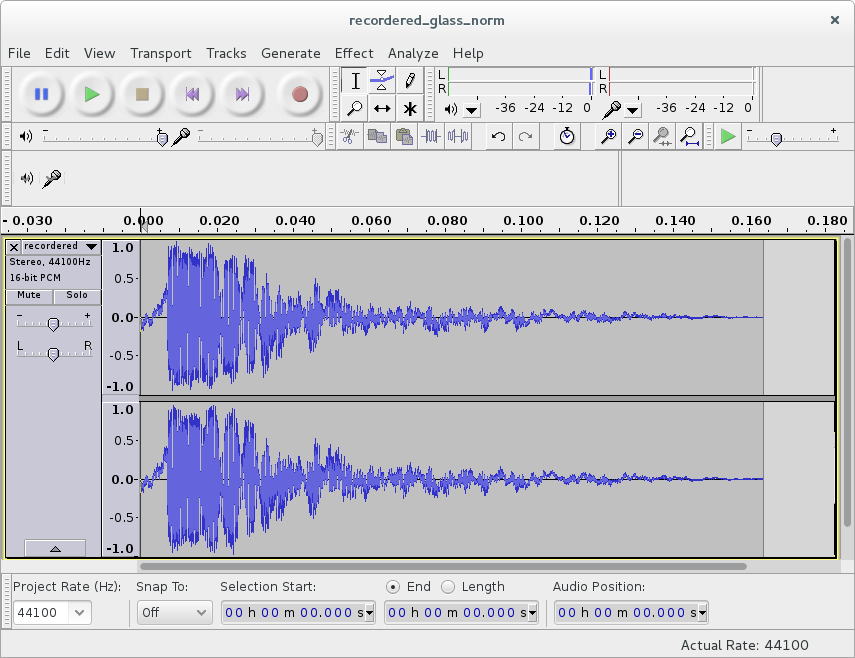
Audacity - a free audio editor and recorder.
Sound effects are either synthesized from scratch, or some prerecorded samples are used.
音效要么是从零合成的,要么是使用预先录制的采样。
I don't have any experience with sound synthesis, and the only thing I can recommend in this aspect is sfxr/bfxr programs, which are excellent chiptune effects generators (a Lua port of sfxr exists).
我对声音合成几乎没有经验,这方面唯一能推荐的是 sfxr/bfxr 这类程序,它们是很棒的 chiptune 音效生成器(sfxr 的 Lua 版本也有)。
Speaking of sound samples, a couple of sites to look for them are OpenGameArt and Freesound. Another possibility is to look for instrument samples pack, bundled with music-making software (such as LMMS or Hydrogen). In dealing with samples, Audacity is immensely helpful tool. It allows to extract a part of the track, normalize volume, suppress certain frequencies, and so on. The number of available editing options is more than enough. Of course, instead of using someone else's samples, you can record your own. Such possibility should not be completely discarded: it is possible to get a decent result (enough to convey the idea) with minimal effort. For example, one of the sounds for this game is a tea cup hit by a pen, recorded on the internal microphone of my computer. Audacity makes the recording process simple enough. When dealing with samples, my advice to keep track of all file renames. They will be necessary to compile a proper credits list.
说到采样音效,可以去 OpenGameArt 或 Freesound 找。另一种方式是使用音乐制作软件自带的乐器采样包(比如 LMMS 或 Hydrogen)。处理采样时,Audacity 是个非常好用的工具,它可以截取片段、归一化音量、抑制特定频段等等,功能完全足够。你也可以自己录音,不必一定用别人的素材——这件事不难,哪怕只想表达个大概意思,也能用很小的成本达到不错效果。比如本游戏里就有一个音效,是我用电脑内置麦克风录了一次茶杯被笔敲击的声音。Audacity 让录制过程变得很简单。处理采样时,我的建议是记录好所有文件的重命名信息,这些会用在致谢列表里。
In LÖVE the sounds are stored and played by audio sources, which are a part of the love.audio module. Each source stores a single sound, which is usually specified on source creation. When needed, the sound can be played with the play method of the source.
在 LÖVE 中,声音通过音频 source 来存储和播放,它们属于 love.audio 模块。每个 source 保存一个声音,通常在创建时指定。当需要播放时,调用 source 的 play 方法即可。
For now, I'm going to add sound effects only on ball-bricks collisions and I'll use different sounds for collisions with different brick types.
目前我只在球撞砖块时加入音效,并且不同类型的砖块会用不同的声音。
First, we need to load the sounds from the disk and initialize the audio sources. It is possible to make the sources local variables in the bricks.lua file.
首先要从磁盘加载声音并初始化 audio source。可以把这些 source 作为 bricks.lua 中的局部变量。
local bricks = {}
.....
local simple_break_sound = love.audio.newSource(
   "sounds/recordered_glass_norm.ogg",
   "static")                                        --(*1)
local armored_hit_sound = love.audio.newSource(
   "sounds/qubodupImpactMetal_short_norm.ogg",
   "static")
local armored_break_sound = love.audio.newSource(
   "sounds/armored_glass_break_short_norm.ogg",
   "static")
local ball_heavyarmored_sound = love.audio.newSource(
   "sounds/cast_iron_clangs_11_short_norm.ogg",
   "static")
(*1): "static" means that the sound is decompressed and stored in the memory, instead of being streamed from the file. This is the preferred method for the small sounds, that are played frequently.
(*1):“static” 表示把声音解压后存到内存中,而不是从文件流式播放。这对体积小、播放频繁的音效是更合适的方式。
A good place to play the sound is bricks.brick_hit_by_ball function. The sound is chosen according to the brick type.
播放音效的好位置是 bricks.brick_hit_by_ball 函数,根据砖块类型选择不同声音。
function bricks.brick_hit_by_ball( i, brick, shift_ball )
   if bricks.is_simple( brick ) then
      table.remove( bricks.current_level_bricks, i )
      simple_break_sound:play()                         --(*1)
   elseif bricks.is_armored( brick ) then
      bricks.armored_to_scrathed( brick )
      armored_hit_sound:play()                          --(*2)
   elseif bricks.is_scratched( brick ) then
      bricks.scrathed_to_cracked( brick )
      armored_hit_sound:play()                          --(*2)
   elseif bricks.is_cracked( brick ) then
      table.remove( bricks.current_level_bricks, i )
      armored_break_sound:play()                        --(*3)
   elseif bricks.is_heavyarmored( brick ) then
      ball_heavyarmored_sound:play()                    --(*4)
   end
end
(*1): simple_break_sound is played on collision of the ball with the 'simple' brick.
(*2): armored_hit_sound if the brick was 'armored' or 'scratched'.
(*3): armored_break_sound if the brick was 'cracked'.
(*4): ball_heavyarmored_sound if the brick was 'heavyarmored'.
(*1):球碰到 “simple” 砖块时播放 simple_break_sound。
(*2):砖块是 “armored” 或 “scratched” 时播放 armored_hit_sound。
(*3):砖块是 “cracked” 时播放 armored_break_sound。
(*4):砖块是 “heavyarmored” 时播放 ball_heavyarmored_sound。
Now to the music. Along with the sound effects, some good tracks can be found on Freesound and OpenGameArt. Another resource worth checking is Jamendo. It has a great collection of music, available free of charge for noncommercial applications. However, most tracks require a special license for commercial usage.
接着是音乐。除了音效外,也可以在 Freesound 和 OpenGameArt 找到不错的音乐。另一个值得看看的是 Jamendo,那里有大量音乐可用于非商业项目,且免费。但大多数曲目用于商业场景时需要额外授权。
In terms of the code, the handling of music is similar to the sound effects. It is necessary to load the track from the hard drive, store it into some source and after that play it. For now, I'll use only a single background track, which I set to loop, so it will automatically restart from the beginning. I want music to start playing in the menu, and then I'm going to manipulate it (pause and rewind) in the other gamestates. So instead of defining the source as a local variable to the "menu" state and passing it between gamestates, I define it global in the main.lua.
在代码层面,音乐的处理方式和音效类似:从硬盘加载音轨,存到一个 source,然后播放。现在我只用一条背景音乐,并设置循环播放,这样会自动从头开始。我希望音乐在菜单里就开始播放,之后在其它状态中进行暂停或回卷。因此我不会把 source 设为 "menu" 的局部变量并在状态间传递,而是直接在 main.lua 里定义一个全局的。
music = love.audio.newSource( "sounds/S31-Night Prowler.ogg" )
music:setLooping( true )
The music starts playing in the menu.load:
音乐在 menu.load 中开始播放:
function menu.load( prev_state, ... )
   music:play()
end
When the game is paused, I pause the track, and resume it, when the game resumes.
游戏暂停时我会暂停音乐,恢复游戏时再继续播放。
function game.keyreleased( key, code )
   .....
   elseif  key == 'escape' then
      music:pause()                         --(*1)
      gamestates.set_state( "gamepaused", { ball, platform, bricks, walls } )
   end
end

function game.enter( prev_state, ... )
   .....
   if prev_state == "gamepaused" then
      music:resume()                        --(*2)
   end
   .....
end
(*1): the music is paused on transition from the "game" to "gamepaused" state.
(*2): the music is resumed when the game resumes.
(*1):从 “game” 切换到 “gamepaused” 时暂停音乐。
(*2):游戏恢复时继续播放音乐。
If the game is restarted after the "gamefinished" final screen, the track is rewound to the beginning.
如果在 “gamefinished” 结束界面后重新开始游戏,就把音乐回卷到开头。
function game.enter( prev_state, ... )
   .....
   if prev_state == "gamefinished" then
      music:rewind()
   end
   .....
end