
11. Straightforward Gamestates
A typical game has a menu screen, a congratulations screen and some kind of a pause regime. These different game modes are called gamestates. In this part, a simple implementation for such functionality is discussed.
一个典型游戏会有菜单界面、通关或祝贺界面,以及某种暂停状态。这些不同的游戏模式被称为 gamestates。本节讨论一种简单的实现方式。
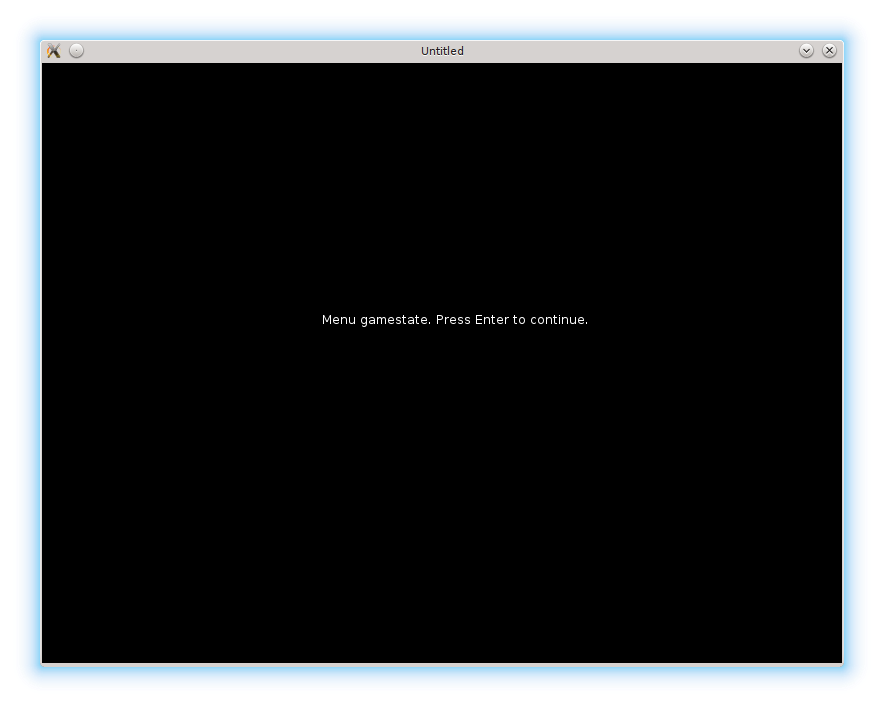
I'm going to define 4 gamestates: "menu", "game", "gamepaused" and "gamefinished". In the straightforward implementation it is enough to maintain a simple variable gamestate to switch between them. It is declared in the main.lua and initialized to the first game state - "menu".
我会定义 4 个 gamestate:“menu”、“game”、“gamepaused” 和 “gamefinished”。在最直接的实现里,用一个简单的变量 gamestate 来切换它们就够了。它在 main.lua 中声明,并初始化为第一个状态——“menu”。
local gamestate = "menu"After that, in each love callback an if-else structure is necessary to check this variable:
接下来,在每个 love 回调里都需要用 if-else 来检查这个变量:
function love.update( dt )
   if gamestate == "menu" then
   .....
   elseif gamestate == "game" then
   .....
   elseif gamestate == "gamepaused" then
   .....
   elseif gamestate == "gamefinished" then
   .....
   end
end
In the "menu" state, a message is shown on the screen. When the Enter is pressed, the game starts (the state is changed to the "game"). On Esc the game is exited.
在 “menu” 状态下,屏幕上会显示一条提示信息。按下 Enter 开始游戏(状态切换为 “game”),按 Esc 退出游戏。
function love.draw()
   if gamestate == "menu" then
      love.graphics.print("Menu gamestate. Press Enter to continue.",   --(*1)
                           280, 250)
   elseif gamestate == "game" then
   .....
end

function love.keyreleased( key, code )
   if gamestate == "menu" then
      if key == "return" then
         gamestate = "game"                                             --(*2)
      elseif key == 'escape' then
         love.event.quit()                                              --(*3)
      end
   elseif gamestate == "game" then
   .....
end
(*1): display a message on the screen.
(*2): on Enter, start the game
(*3): on Esc - quit.
(*1):在屏幕上显示提示信息。
(*2):按 Enter 开始游戏。
(*3):按 Esc 退出。
There is nothing to update in this state, so the corresponding section of the love.update is empty:
这个状态下没有需要更新的内容,所以 love.update 里的对应分支是空的:
function love.update( dt )
   if gamestate == "menu" then
   elseif gamestate == "game" then
   .....
end
For the "game" gamestate, the contents of the love.draw and love.update are transferred from the previous part. In love.keyreleased there is a minor difference: on Esc instead of quitting, the game switches to "gamepaused" state.
在 “game” 状态下,love.draw 和 love.update 的内容沿用上一部分的实现。love.keyreleased 中有个小区别:按 Esc 不再退出,而是切换到 “gamepaused”。
In the "gamepaused" state I want to freeze the ball and platform and display a message on the screen. This can be implemented if the game objects are drawn but not updated.
在 “gamepaused” 状态中,我希望球和平台冻结,同时在屏幕上显示提示信息。只绘制对象、不更新对象即可实现。
function love.draw()
   .....
   elseif gamestate == "gamepaused" then
      ball.draw()
      platform.draw()
      bricks.draw()
      walls.draw()
      love.graphics.print(
         "Game is paused. Press Enter to continue or Esc to quit",
         50, 50)
   elseif gamestate == "gamefinished" then
   .....
end

function love.update( dt )
   .....
   elseif gamestate == "gamepaused" then     --(*1)
   elseif gamestate == "gamefinished" then
   .....
end
(*1): the "gamepaused" update part is empty.
(*1):gamepaused 的更新部分是空的。
The love.keyreleased callback is similar to the "menu".
love.keyreleased 的处理逻辑和 “menu” 类似。
The "gamefinished" state is entered when there are no more levels.
当没有更多关卡时,会进入 “gamefinished” 状态。
function switch_to_next_level( bricks, ball, levels )          --(*1)
   if bricks.no_more_bricks then
      .....
      elseif levels.current_level >= #levels.sequence then
         gamestate = "gamefinished"                            --(*2)
      end
   end
end
(*1): This function is moved from levels table. An explanation is below.
(*2): When there are no more levels, gamestate is switched to "gamefinished".
(*1):这个函数从 levels 表中移了出来,原因见下文。
(*2):当没有更多关卡时,把 gamestate 切换为 “gamefinished”。
"Gamefinished" is similar to the "menu" except that on Enter it resets the level counter and restarts the game from the first level.
“gamefinished” 与 “menu” 类似,区别是按 Enter 会重置关卡计数,并从第一关重新开始。
function love.keyreleased( key, code )
   .....
   elseif gamestate == "gamefinished" then
      if key == "return" then
         levels.current_level = 1
         level = levels.require_current_level()
         bricks.construct_level( level )
         ball.reposition()
         gamestate = "game"
      elseif key == 'escape' then
         love.event.quit()
      end
   end
end
There is also one minor catch with levels.switch_to_next_level. The gamestate variable is defined in the scope of main.lua. If it is simply passed into this function, it will be passed by value and it won't be possible to change it from "game" to "gamefinished". There are several solutions to this problem; I've simply moved this function from levels table inside the levels.lua to main.lua.
levels.switch_to_next_level 还有个小坑:gamestate 变量定义在 main.lua 的作用域里。如果只是把它作为参数传给函数,那它会按值传递,就无法在函数里把它从 “game” 改成 “gamefinished”。这个问题有多种解法,我这里干脆把这个函数从 levels.lua 里的 levels 表挪到了 main.lua。
function switch_to_next_level( bricks, ball, levels )
   if bricks.no_more_bricks then
      if levels.current_level < #levels.sequence then
         levels.current_level = levels.current_level + 1
         level = levels.require_current_level()
         bricks.construct_level( level )
         ball.reposition()
      elseif levels.current_level >= #levels.sequence then
         gamestate = "gamefinished"
      end
   end
end